Your Dashboard 🎛️
Your Command Center
The dashboard is your control center where you can see everything that matters: your certificates, market activity, recent transactions, and key metrics.
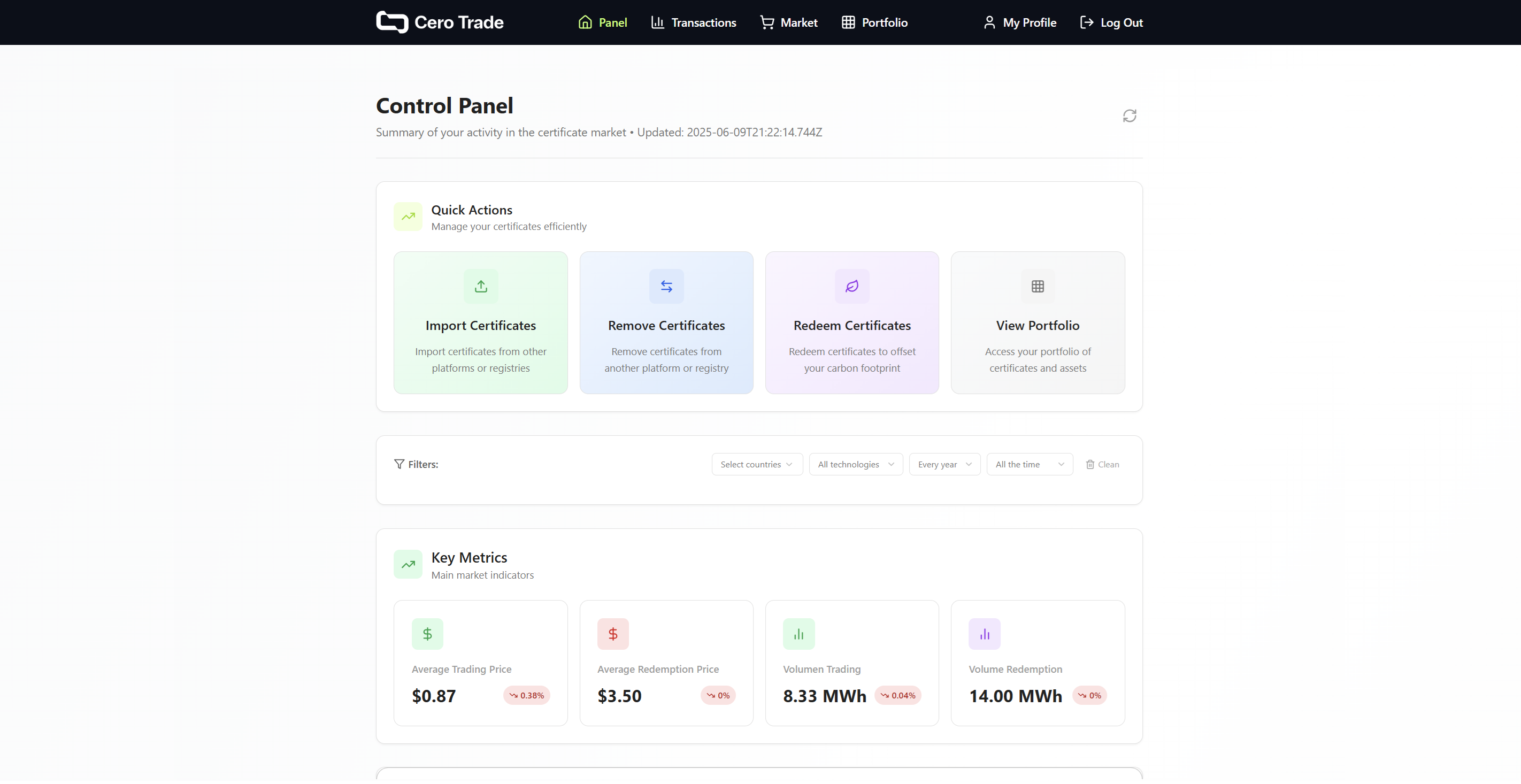 Complete dashboard view with portfolio summary, market statistics, and quick actions
Key Sections 📊
📦 Portfolio Summary
- Total certificates in your inventory
- Distribution by market (Unassigned, Trading, Redemption, Both Markets)
- Value overview of your holdings
- Recent activity and changes
📈 Market Statistics
- Trading Market: Prices and activity for registered users
- Redemption Market: Public market statistics
- Price trends and market movements
- Available inventory by technology and country
⚡ Quick Actions
Direct access to the most common operations:
- 🛒 Browse Marketplace - Find and purchase certificates
- 📦 Manage Portfolio - Organize your certificates
- ♻️ Redeem Certificates - Use certificates for compliance
- 🔗 Create Redemption Links - For consultants and traders
Dashboard Widgets 🔧
🎯 Personalized View
Your dashboard adapts to your user profile:
- 🏢 Corporations: Focus on compliance and redemption tools
- 🤝 Consultants: Client management and redemption links
- 💱 Traders: Market analytics and inventory optimization
- 📢 Organizations: Simple purchase and redemption flow
📊 Real-time Data
- Live market prices updated continuously
- Portfolio valuations in real-time
- Transaction status with instant updates
- Market alerts for price changes and opportunities
Navigation Made Simple 🧭
🔍 Smart Filters
- By technology: Solar, wind, hydro, biomass
- By country: Chile, Colombia, Mexico, Brazil, others
- By vintage: Year of energy generation
- By price range: Find certificates within your budget
📱 Mobile Responsive
- Full functionality on all devices
- Touch-optimized interface
- Quick access to essential features
- Offline indicators for connection status
Getting Started Tips 💡
First Time Users:
- 📊 Review your profile settings and preferences
- 🛒 Browse the marketplace to understand pricing
- 📚 Check the documentation for your user type
- 🔗 Set up Evident Registry for I-REC(E) integration if you have certificates
Power Users:
- ⚡ Use keyboard shortcuts for faster navigation
- 📊 Set up custom alerts for market changes
- 🔄 Configure auto-refresh for real-time updates
- 📱 Enable push notifications for important events
Dashboard Customization ⚙️
📊 Widget Configuration
- Drag and drop to rearrange sections
- Show/hide widgets based on your needs
- Resize sections for optimal viewing
- Save layouts for different use cases
🎨 Display Options
- Dark/light mode toggle
- Compact/detailed view options
- Chart types for data visualization
- Refresh intervals customization
Ready to explore your dashboard?