Portfolio Management 📦
Your I-REC(E) Certificate Inventory
Here you can view, organize, and manage all the I-REC(E) certificates you own. It's like your "digital warehouse" for renewable energy.
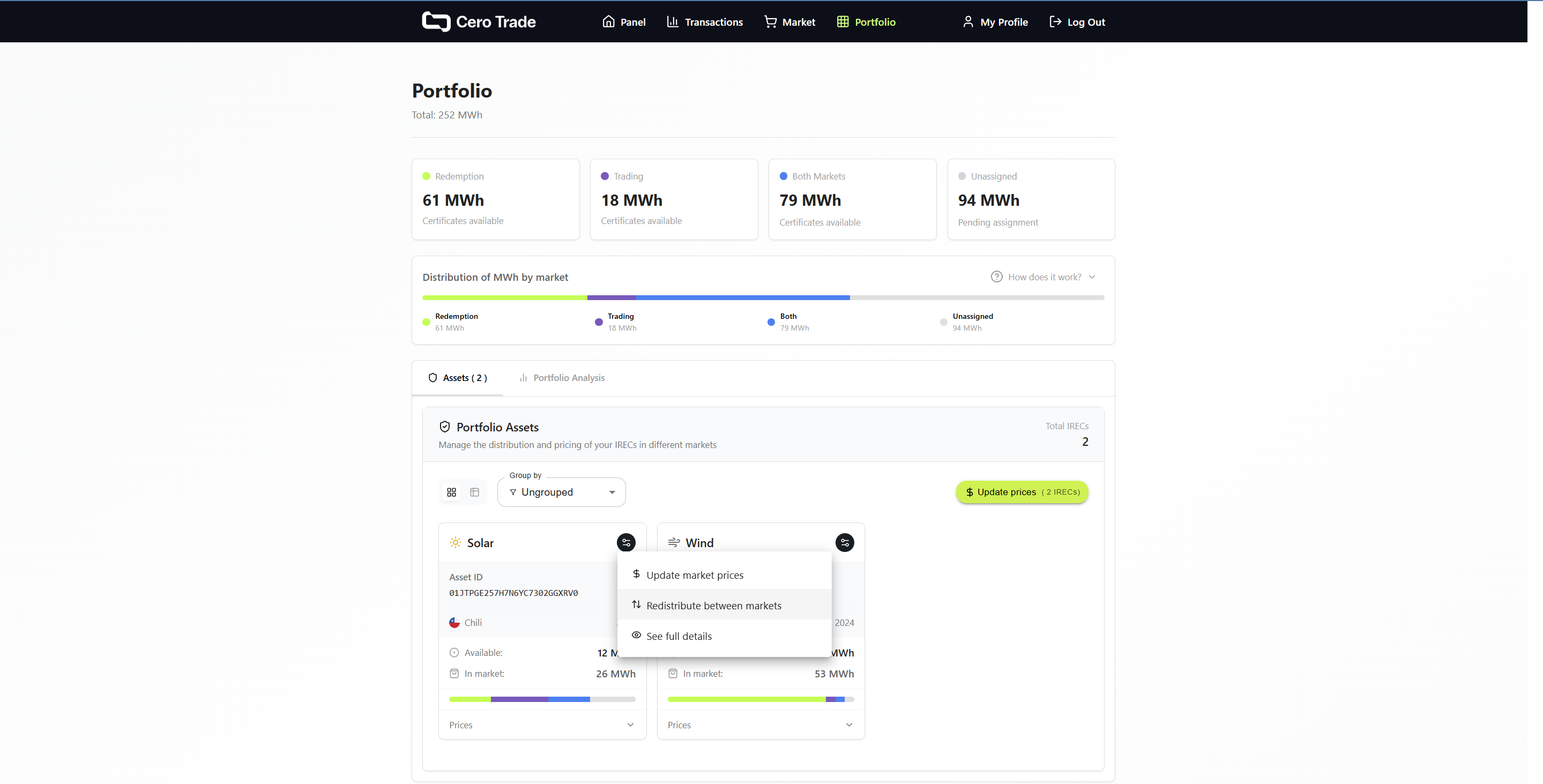 Main portfolio view with display and grouping options
You can view your certificates in different formats (cards or table) and group them by technology, country, or year for better organization.
Market Distribution - The "Drawer" System 🗄️
One of the most powerful tools in Cero Trade. You can move your certificates between different "drawers" according to your business strategy.
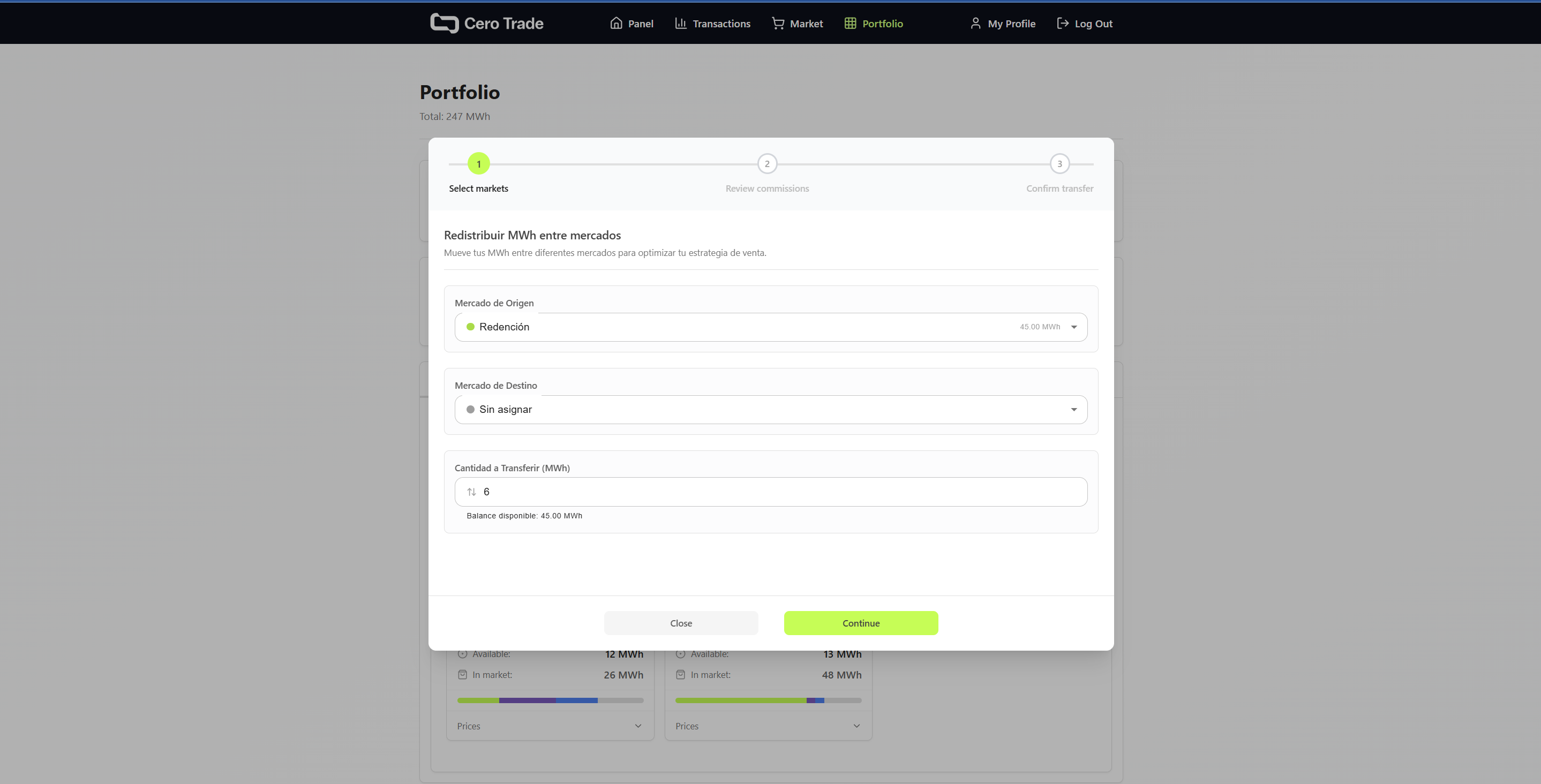 Interface to move certificates between Unassigned, Trading, Redemption, Both Markets
Available Markets:
- 📦 Unassigned: Certificates not assigned to any market (only these can be redeemed or withdrawn)
- 💱 Trading Market: Exchange between platform participants
- ♻️ Redemption Market: For companies seeking final consumption (higher prices)
- 🔄 Both Markets: Maximum liquidity in both markets simultaneously
How Does It Work? (5 Steps)
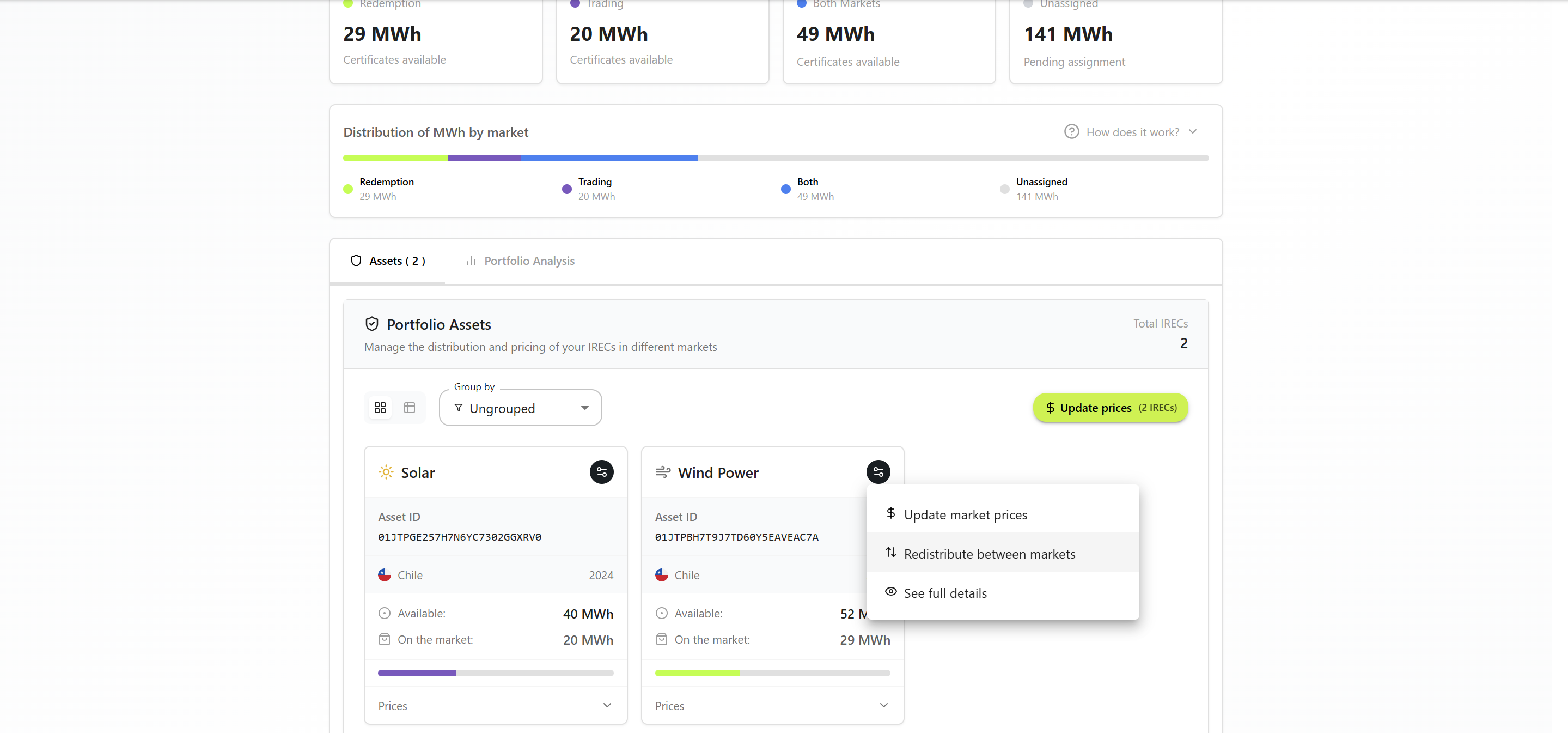 Step 1: Select source and destination markets
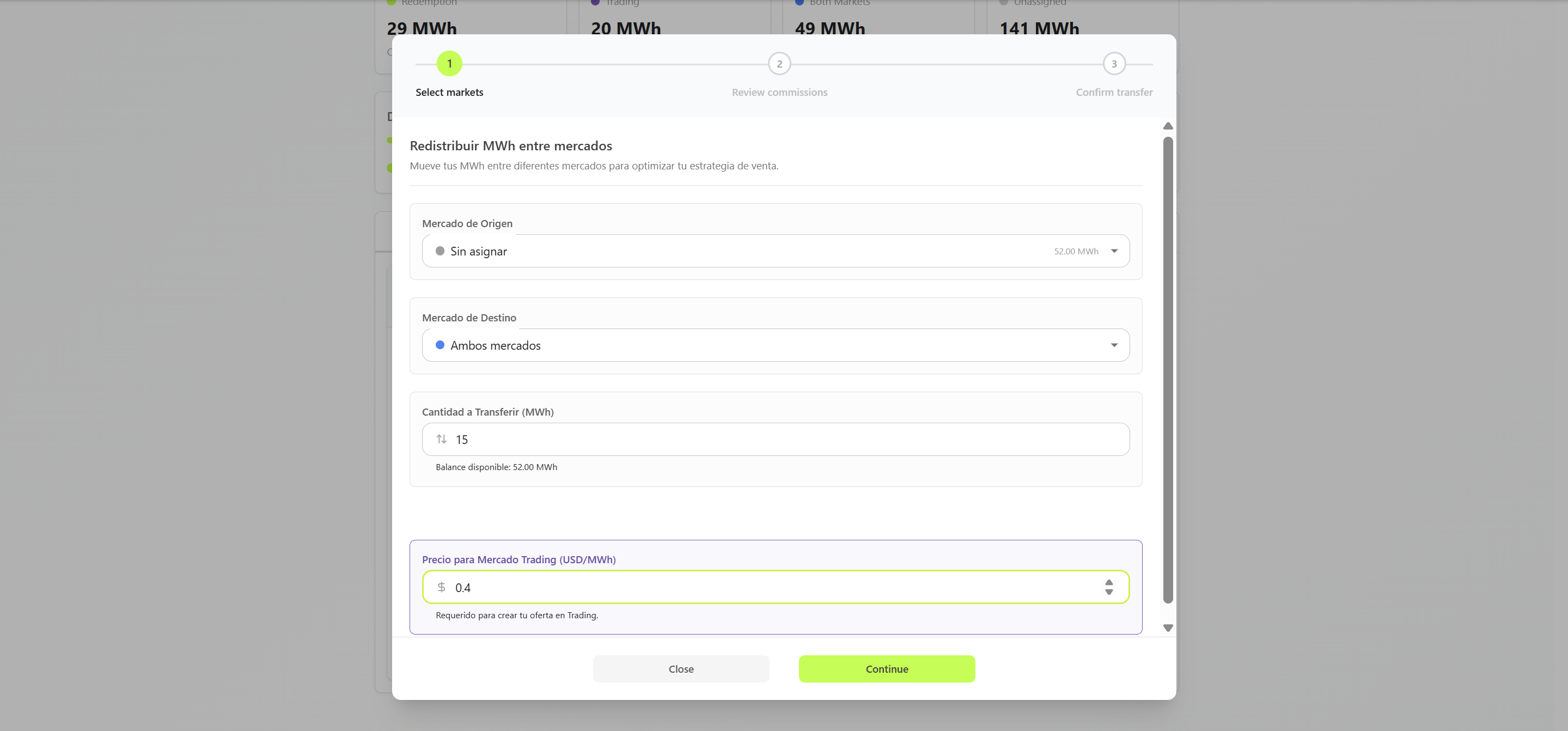 Step 2: Configure prices according to destination
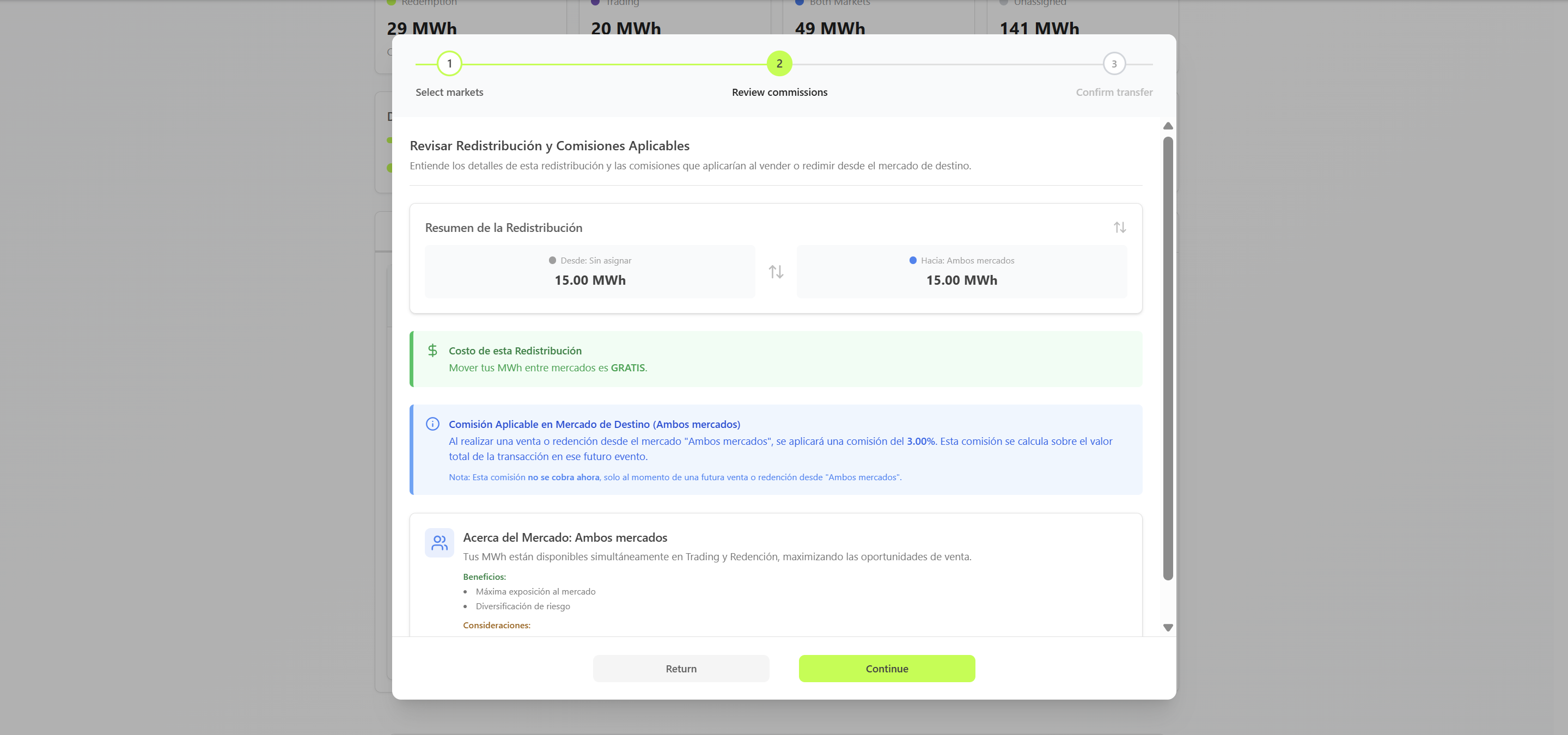 Step 3: Review applicable fees
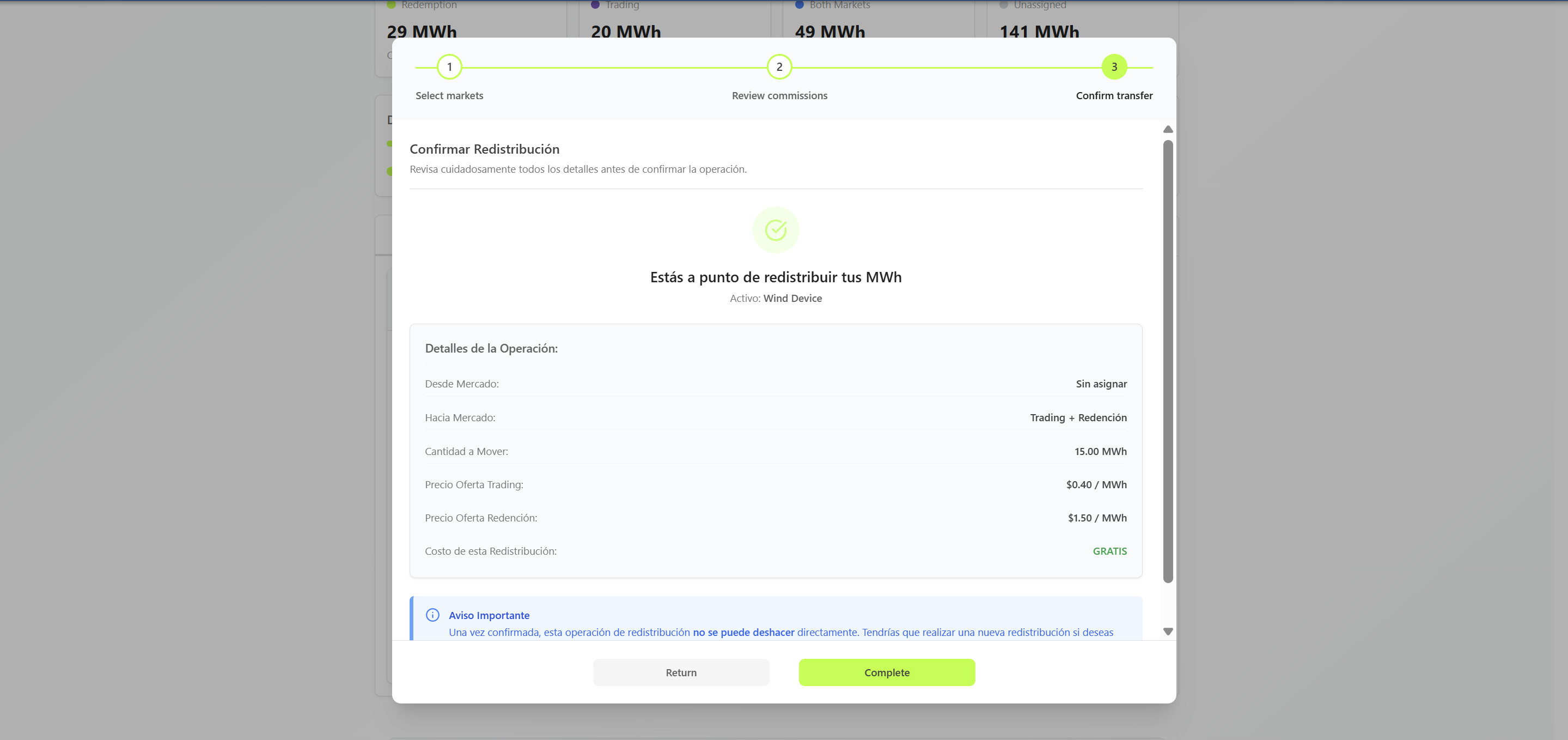 Step 4: Confirm distribution
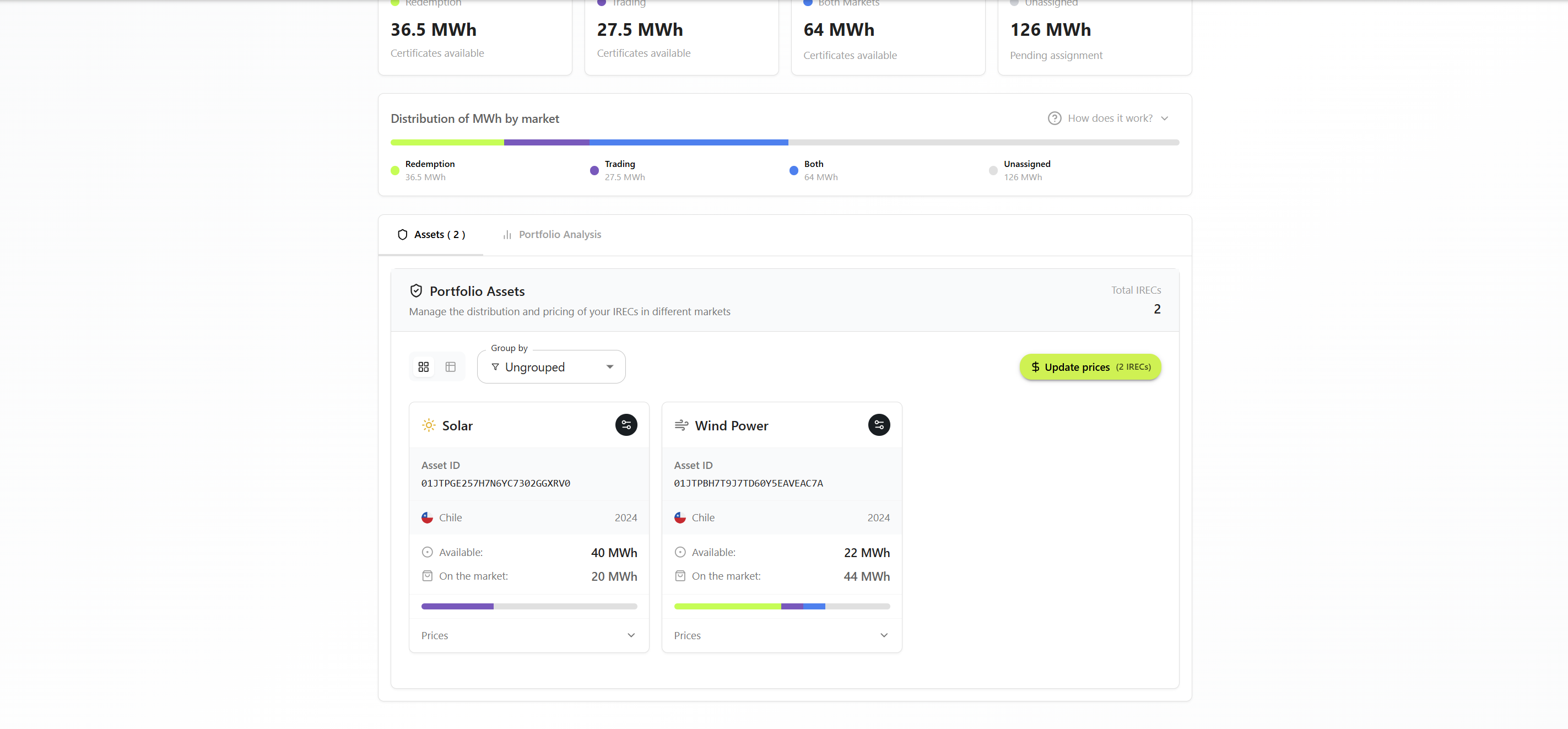 Step 5: Distribution completed successfully
Common Strategies:
- 🏢 Corporations: Unassigned → Redemption Market (to create internal use links)
- 🤝 Consultants: Unassigned → Redemption Market (to create client links)
- 💱 Traders: Both Markets (maximum liquidity)
- 📢 Organizations: Keep in Unassigned (direct redemption)
Import and Withdrawal of Certificates 📤📥
Import from Evident Registry for I-REC(E) (Hosting) 📥
What is it? Bring certificates you have in Evident Registry for I-REC(E) to Cero Trade through official integration.
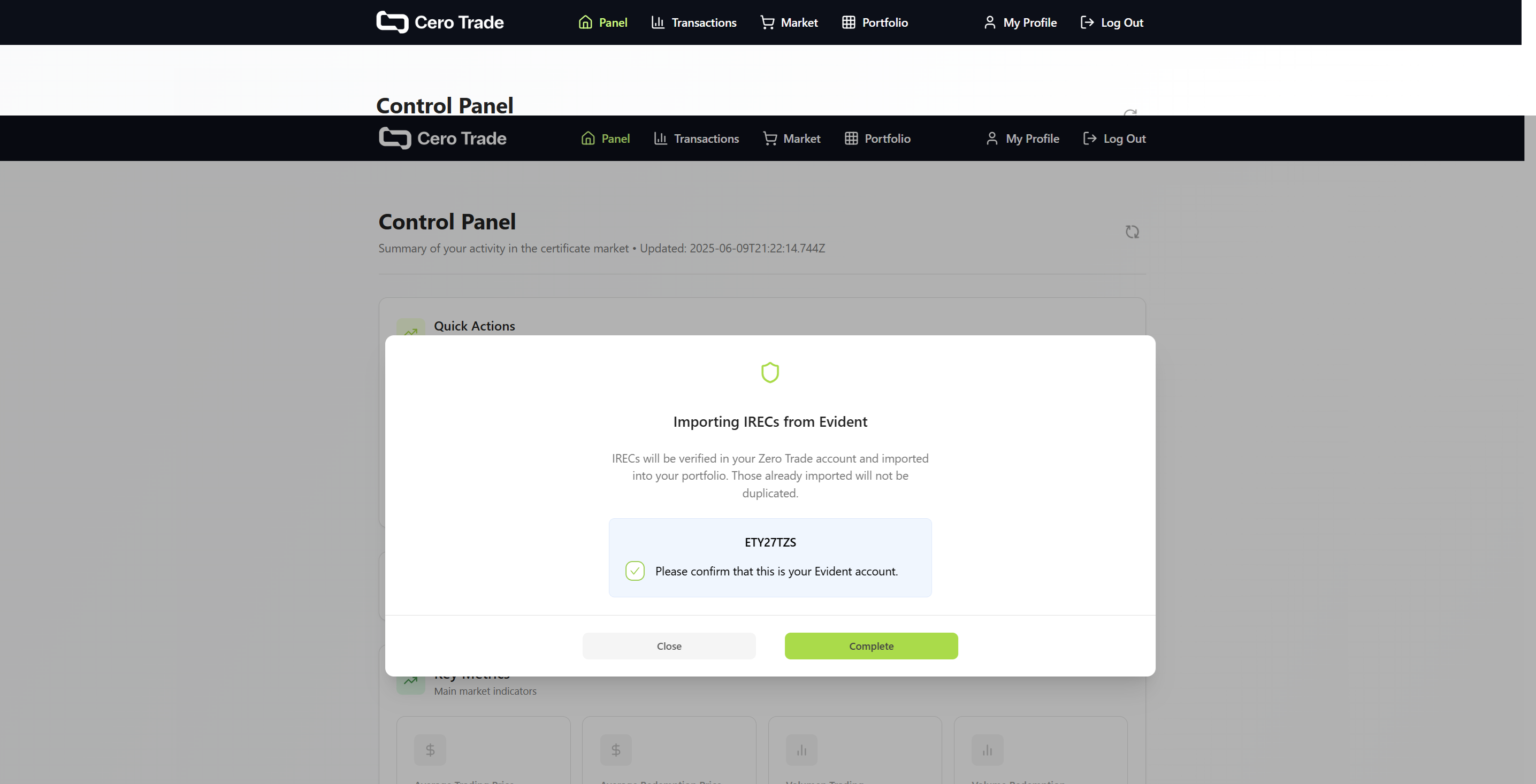 Import process from Evident Registry for I-REC(E)
When do you need it?
- 💱 Traders: You have certificates in Evident Registry for I-REC(E) and want to sell them
- 🏢 Corporations: You want to manage from a more user-friendly platform
- 🤝 Consultants: You need certificates for your clients
🔗 Official Evident Registry for I-REC(E) Integration
Cero Trade is a pre-approved platform by Evident (Evident Registry for I-REC(E) operator), ensuring maximum security and official functionality.
What You Can Do:
- 📥 Import: Certificates from Evident Registry for I-REC(E) to Cero Trade
- ⚡ Automated management: No repetitive manual processes
- 🔐 Total control: You maintain ownership and control of your certificates
Quick Setup:
- Enable in Evident Registry for I-REC(E) (generate API Key)
- Configure in Cero Trade (enter API Key)
- Verify connection (automatic)
👉 Complete Evident Registry for I-REC(E) Integration Guide →
Step-by-step process, Encumbrance accounts, troubleshooting, and use cases explained in detail.
Withdraw to Evident Registry for I-REC(E) (Withdrawal) 📤
What is it? Send certificates back to your regular Evident Registry for I-REC(E) account.
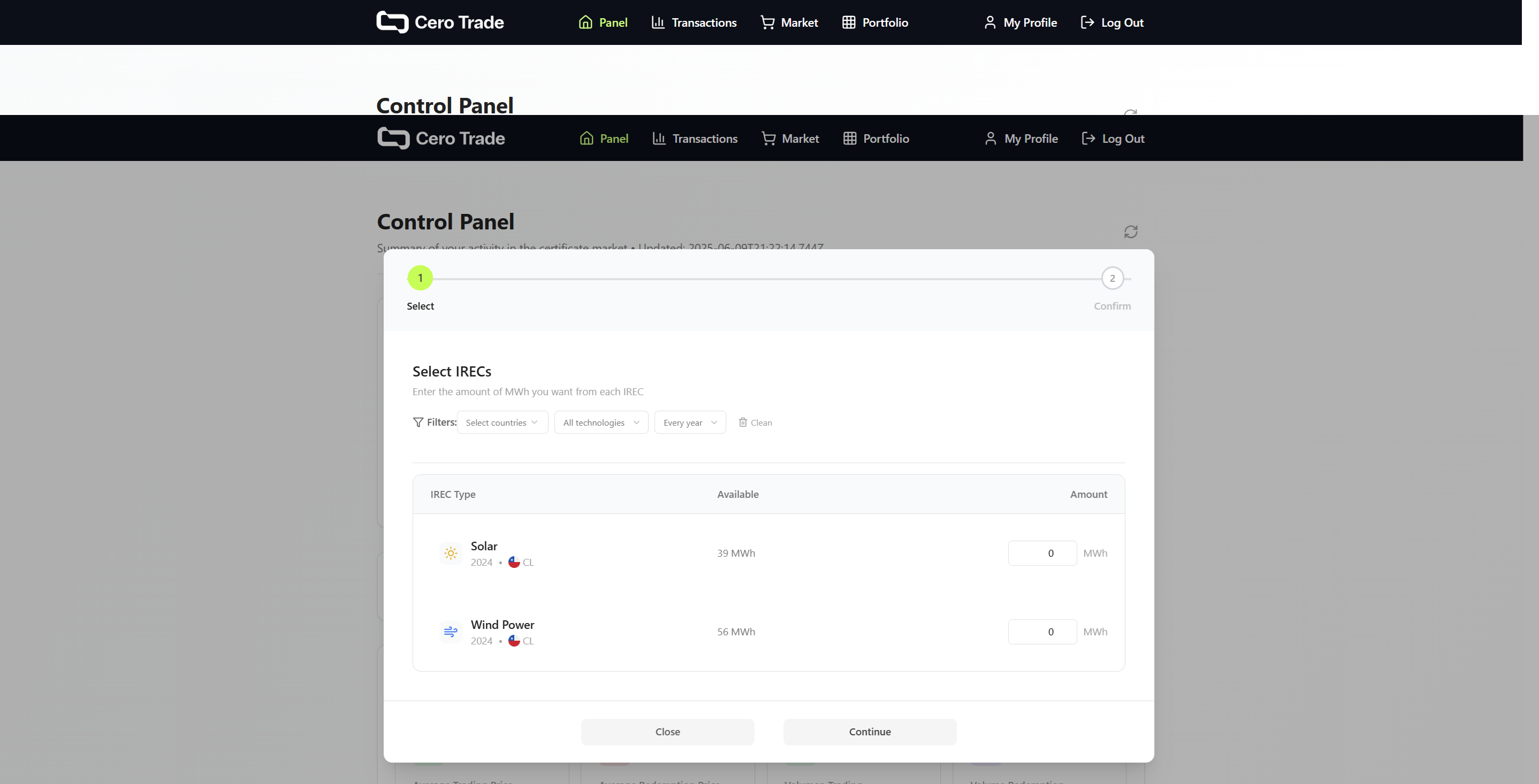 Step 1: Select certificates to withdraw
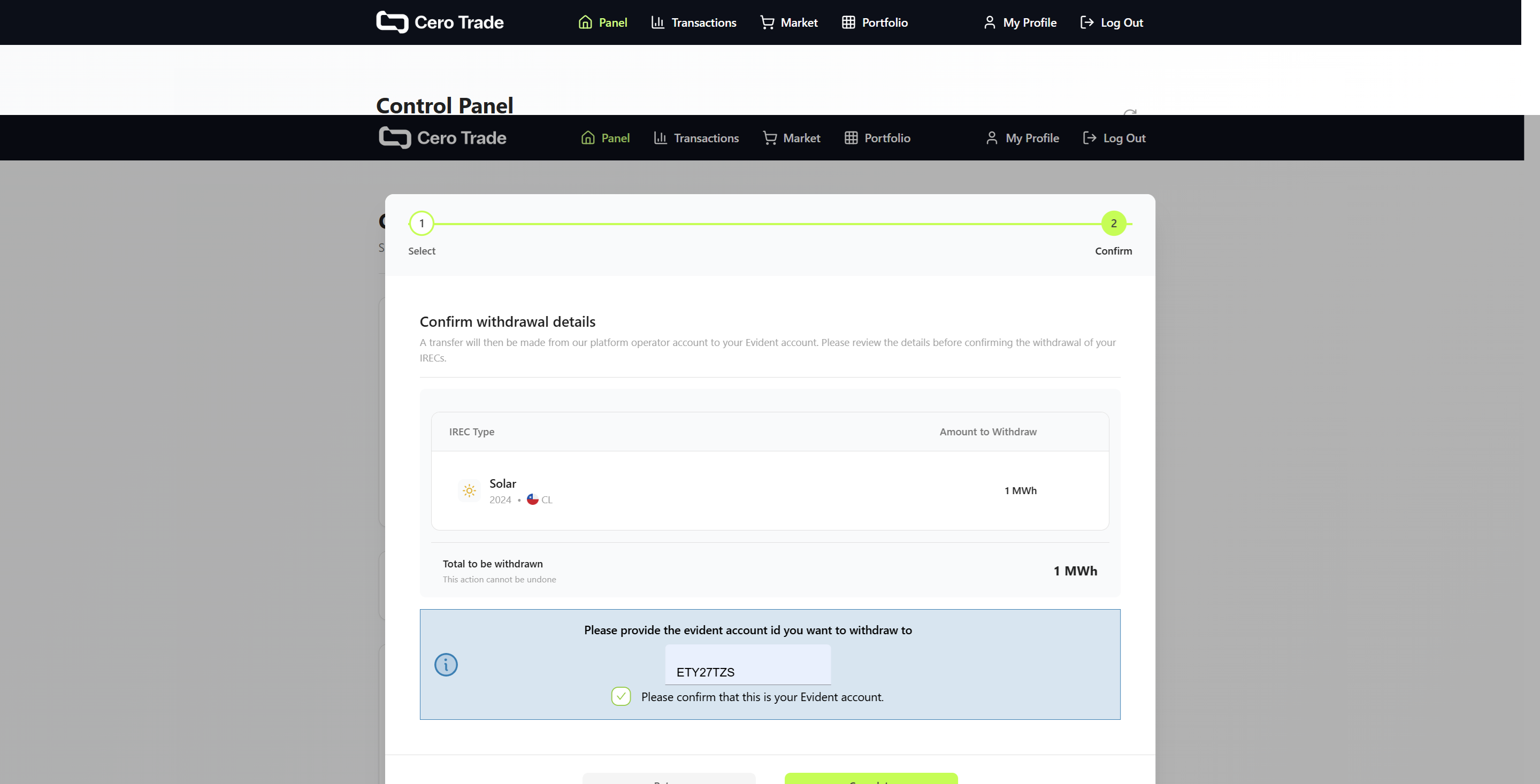 Step 2: Confirm withdrawal and review fees
When do you need it?
- 🏢 Corporations: Transfer to other systems
- 💱 Traders: Move inventory to other platforms
- 📊 Any profile: Consolidate in Evident Registry for I-REC(E)
The process (2 steps):
- 🔍 Select certificates available for withdrawal
- 💳 Confirm and pay applicable fee
Total flexibility: You can withdraw to any valid Evident Registry for I-REC(E) account you specify, not just your own accounts.
You can only redeem and withdraw certificates that are in "Unassigned". Certificates assigned to markets must be moved to "Unassigned" first.
Ready to manage your portfolio?