Transaction History 📊
Your Complete Operations Record
Here you can review all transactions you've performed in Cero Trade. It's your digital "accounting book" for I-REC(E) certificates.
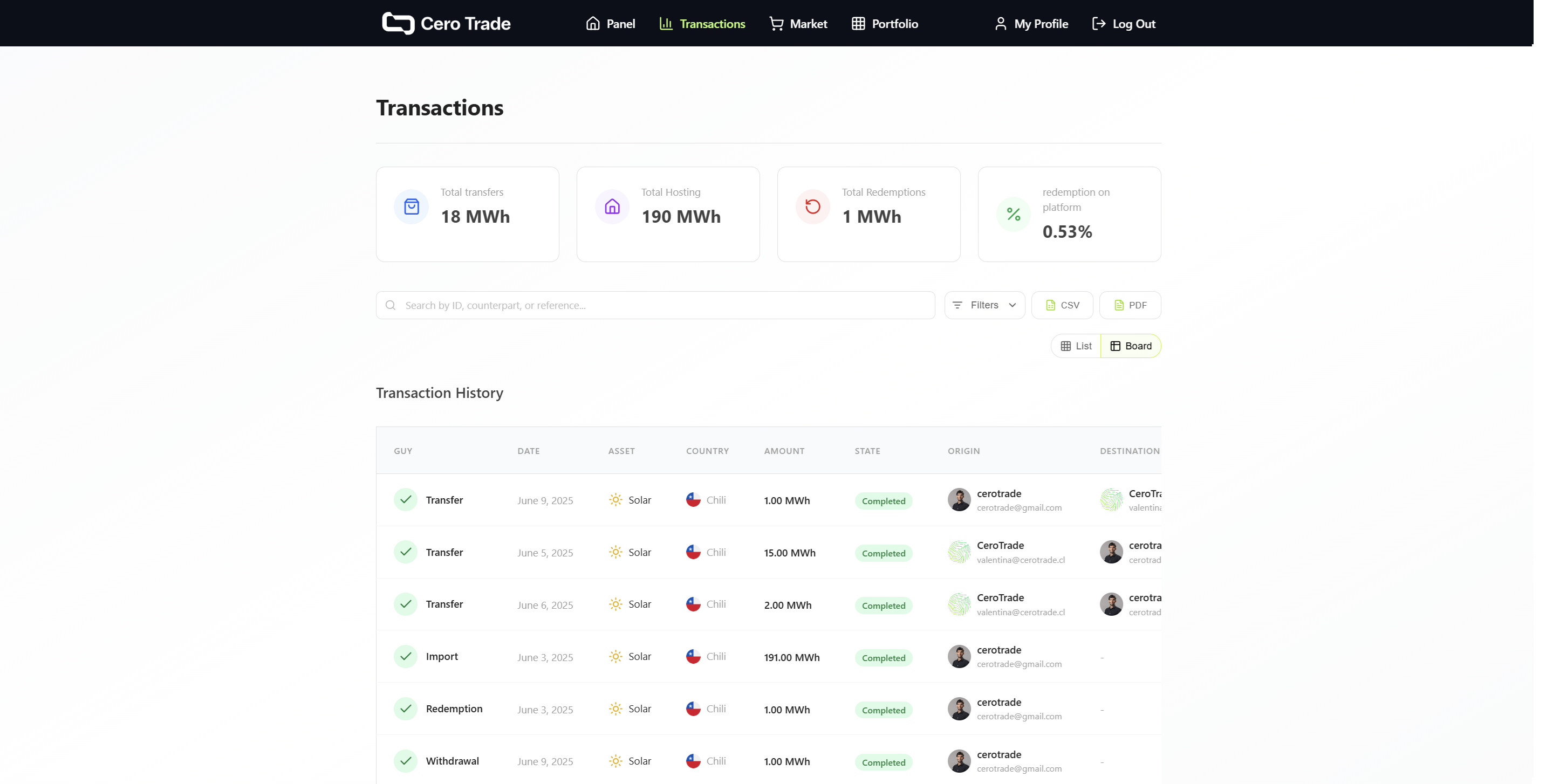 Complete transaction history view with filters and details
Information for Each Transaction 📋
Main Data:
- 🏷️ Type: Purchase, sale, redemption, distribution, etc.
- 📅 Date: When the operation was performed
- 💰 Amount: Total transaction value
- ⚡ Quantity: MWh involved
Certificate Details:
- 🌱 Technology: Solar, wind, hydro
- 🌍 Country: Certificate origin
- 📆 Vintage: Year of energy generation
- 🏭 Generator: Plant that produced the energy
Available Filters 🔍
By Transaction Type:
- 💱 Trading: Purchases and sales in marketplace
- ⚡ Redemption: Redemptions performed
- 🔄 Distribution: Movements between markets
- 📤 Import/Withdraw: Operations with Evident Registry for I-REC(E)
By Date:
- 📅 Custom date range
- 📊 Quick filters (last week, month, year)
By Status:
- ✅ Completed: Successful transactions
- ⏳ Pending: In process
- ❌ Failed: Require attention
Transaction States 🚦
✅ Completed
- Transaction processed successfully
- Certificates transferred correctly
⏳ Pending
- Transaction in process
- May take a few minutes
❌ Failed
- Processing error
- Requires review or retry
- Support available if persists
Export Data 📥
Available Formats:
- 📊 Excel (.xlsx): For detailed analysis
- 📄 CSV: To import to other systems
- 📋 PDF: For executive reports
Data Included:
- Complete history according to applied filters
- Certificate details involved
- Counterparty information (when applicable)
Use Cases by Profile 👥
🏢 Companies
- ESG Reports: Evidence of renewable energy purchases
- Compliance: Documentation for audits
- Accounting: Record of sustainability expenses
🤝 Consultants
- Billing: Service details provided to clients
- Reports: Activity summary by client
- Analysis: Purchase and redemption patterns
💱 Traders
- Trading Analysis: Purchase/sale patterns
- P&L: Profit and loss calculation
- Volume: Commercial activity analysis
Authenticity Verification 🔐
Audit Trail:
- Complete record of chain of custody
- Precise timestamps for each operation
- Unique identifiers for each certificate
Need to export your history?